app store badge google play badge

Get the mobile app for the best Kahoot! experience!

Kahoot! app for Mac

Host, create and play from your Mac. All the features you need are now just one click away.

Download for Mac

Video

All the power of the Kahoot! app, now on your Mac

Everything in one place. Open Kahoot! straight from your Mac: no tab to find, no signing in twice. Host on the big screen, stay connected even when the Wi-Fi drops, and pick up right where you left off on your phone. The app also comes with its own extras: Streaks that keep your momentum going, Study Path to turn your study materials, such as lecture slides, PDFs or scanned notes into a personalized guide, and more along the way. Simple. Reliable. Exactly where you need it.
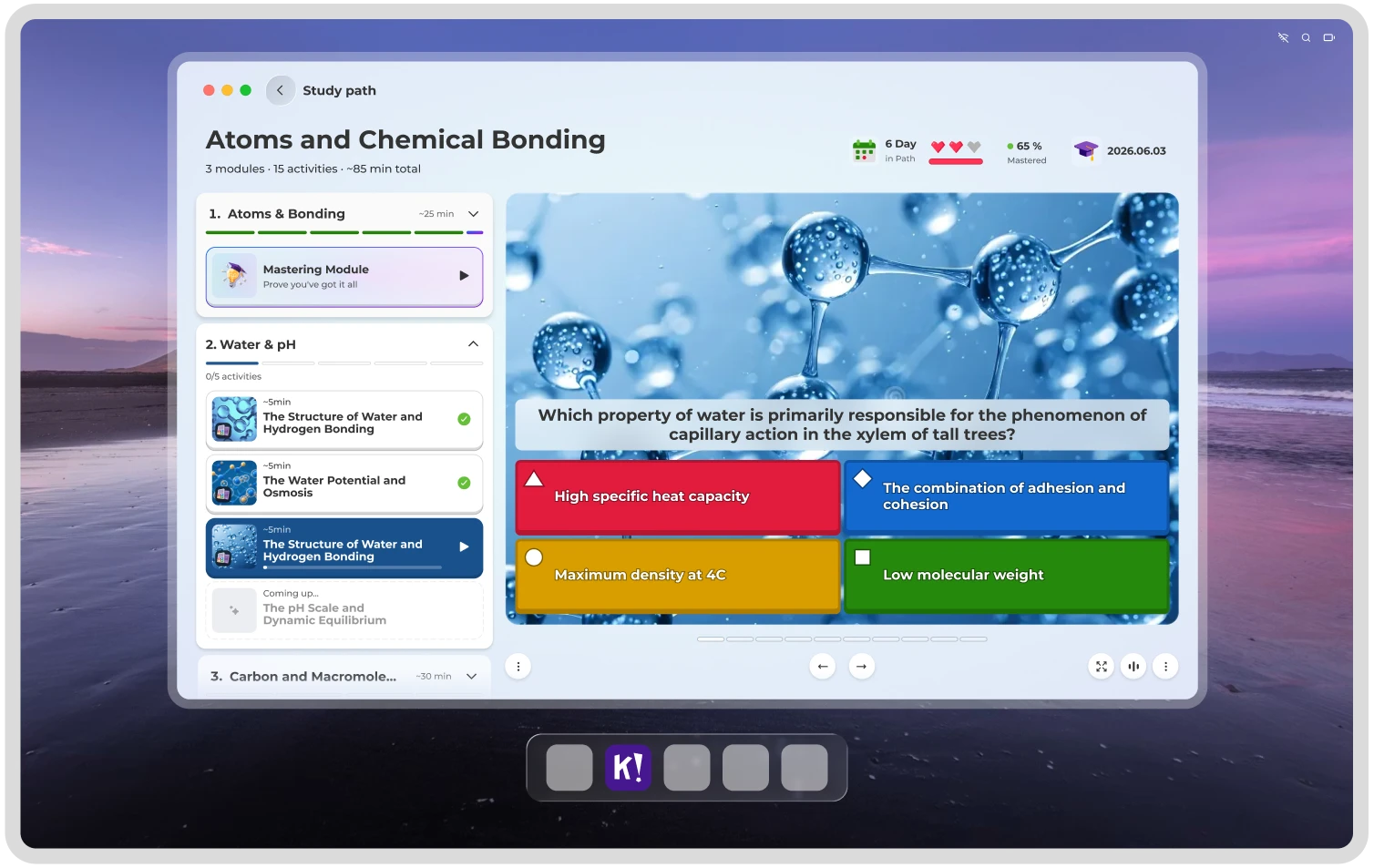

Kahoot! study path on chemical bonding showing modules, progress, and a quiz question.

Kahoot! rounded rectangle logo

Switch between mobile and Mac with the Kahoot! app right in your pocket

Frequently asked questions

Does Kahoot! have a Mac app?

Yes — a free, native Kahoot! app for Mac.

Is the Kahoot! app for Mac free?

Yes, free to download. Premium features come with Kahoot!+.

Do I need an account to use the Mac app?

You can join a game with just a PIN — no account needed. To host or create, you’ll need a free Kahoot! account.

Can I use the Mac app and mobile app together?

Yes. Your account syncs across Mac, iOS and Android.

What can I do in the Mac app that I can't do on the web?

Fullscreen hosting with no browser tabs, streaks and extras, and everything synced across your devices.

How do I download the Kahoot! app for Mac?

Straight from this page, or from the Mac App Store.

Kahoot! Mac app vs. the web version — which should I use?

The web is quickest for a one-off game. The Mac app is built for hosting regularly, hybrid sessions, and picking up right where you left off.