


app store badge google play badge

Get the mobile app for the best Kahoot! experience!

Hannah Harris 2 Oct 2026

Back to case study

Teacher Takeover: Making Kahoot! accessible for students in the functional academics classroom

Kahoot! Ambassador, Brett W., has been a functional academics teacher for eight years, supporting high school students in a special education classroom. Throughout his career, Brett has worked to make instructional materials more accessible for students, including scaffolds and supports built into Kahoot!. Read on to learn how to make simple changes that create huge improvements to learning.

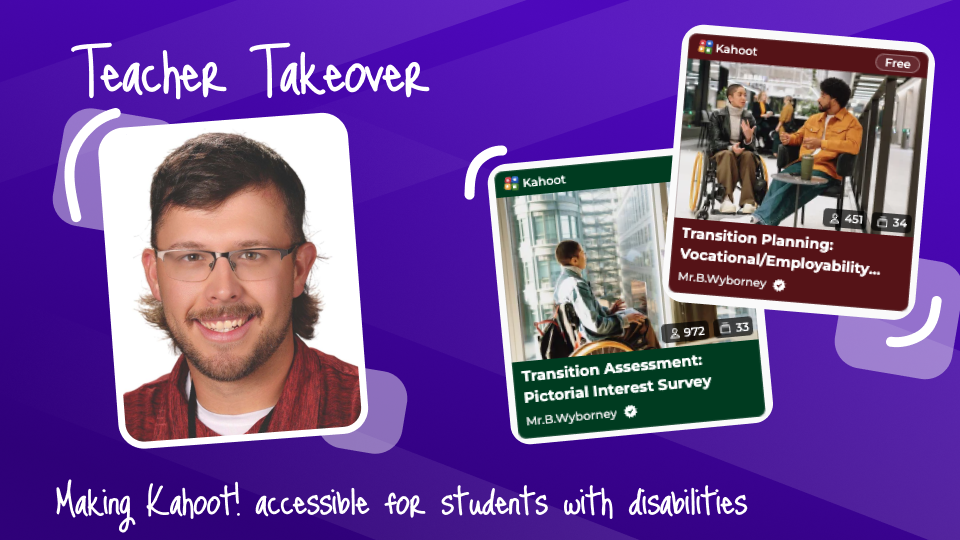
Teacher Takeover blog post with Brett W. portrait and two kahoots from his profile on transitional assessments for SPED classrooms

Kahoot! Ambassador, Brett Wyborney, has been a teacher for 8 years, starting his career in the state of Alaska and currently in Washington state. In his eight years of teaching,  he has been a functional academics teacher for students with moderate to severe disabilities, a resource level teacher mainly serving students with Specific Learning Disabilities or Other Health Impairments, the general education classroom, and the advanced classroom for gifted learners. All throughout his journey, he has utilized and adapted Kahoot! to best meet the needs of all students. Read on to hear how he’s adapted Kahoot! tools to be more accessible for the functional academics classroom and curriculum.

Kahoot! in the life skills classroom

I had been using Kahoot! for years when I first started teaching in a functional academics classroom for students with significant disabilities ages 14–22. As I searched the internet for resources at an appropriate level for my students, I quickly noticed a lack of age-appropriate and accessible materials. I realized that Kahoot! could be the perfect platform for creating materials that were appropriate for my students’ unique needs.

My functional academics classrooms typically had 6–8 students with a wide variety of needs. Most students had a 1:1 para-educator, many were nonreaders, several were nonspeaking, some had visual impairments, and some came from households where English was not the primary language.

Special education teachers know how challenging it can be to create instruction that works for every student in a classroom with such diverse needs. Kahoot! helped me make that challenge a little less daunting. With a few adjustments to the way I created my kahoots, I was able to make these lessons more accessible, engaging, and useful for instruction and assessment.

Strategies for making Kahoot! accessible and engaging

Using images as answer options

One of my favorite Kahoot! features for a functional academics classroom is the ability to use pictures as answer choices instead of relying entirely on text. Picture-based questions allow students who are nonreaders to participate in activities that might otherwise be inaccessible to them. For example, students can:

  • Identify similarities and differences
  • Identify what does or does not belong in a group
  • Identify patterns
  • Agree or disagree with an idea
  • Identify objects, places, or people
  • Make choices based on preferences or interests
  • Demonstrate knowledge without having to read

Pictures can also be paired with Picture Exchange Communication System (PECS) symbols, photographs, icons, or other visual supports that students are already familiar with.

Picture-based answers tend to work especially well with touchscreen devices and other assisted technology. Many of my students had difficulty using a computer mouse or trackpad because of fine-motor challenges. Touchscreens allowed students to interact with the answer choices more independently. I also recommend having a teacher or paraeducator read each question aloud and giving students ample time to process the question and respond.


I realized that Kahoot! could be the perfect platform for creating materials that were appropriate for my students' unique needs.

Brett W., Washington, USA

Reduce the amount of answer options

A traditional Kahoot! question may have four answer choices. For some of my students, four choices created unnecessary distractions and made it more difficult to demonstrate what they actually knew. To scaffold this process, I often started with two answer choices for each question:

For example:

Question: Which animal is a mammal?

Answer options: Dog | Fish

Reducing the number of choices can make the question much more manageable while also making the actual visual representation of the on-screen answer buttons larger and easier to interact with.

Of course, every student is different. Some students may be ready for three or four choices, while others may benefit from only two. The goal isn’t necessarily to make the questions easier, but to remove barriers that prevent students from demonstrating what they know.

Picture based answers tend to work best with touch screen devices. Many of my students struggled with the fine motor skills needed to operate a computer mouse or mouse pad. Picture based answers paired with touch screen devices allowed my students to participate as independently as possible with autonomy for their learning!. 

Including Pin Answer (or Drop Pin) question types also varies the question-answer format, while still keeping the process image-dependent and not introducing any literacy or reading skills. To make learning even more accessible and equitable for student needs,I recommend having a teacher or para-educator reading each question out loud and allowing students ample time to respond to each question by increasing (or disabling) the question timer.

Include multiple correct answer options

Another strategy I use is creating questions where multiple answer options are correct. This can be useful when asking students about:

  • Favorite foods
  • Areas of interest
  • Preferred activities
  • Career interests
  • Personal preferences

For example:

Question: Which activities do you enjoy?

Answer options: Basketball | Art | Music | Reading

If all four answer options are marked as correct, students can select the answer that applies to them without being told that their preference is “wrong.” Different from a poll question, formatting the question with multiple correct answers allows all students to experience the thrill of adding points to their scores and making it on the leaderboard!

This strategy can also be a great way to break up more academically challenging questions and give students opportunities to experience success.

Use kahoot to facilitate transition assessments

One of my favorite applications for Kahoot! is creating transition assessments. Creating plans for life after high school is an important part of the special education curriculum. However, many transition assessments rely heavily on reading, writing, or verbal responses. This can make it difficult for students with significant disabilities to independently demonstrate their interests and preferences without the support of a paraeducator or 1:1 teacher support. I decided to use these same accessibility strategies I was already using with Kahoot! to make transition assessments more accessible and student-driven.

One kahoot I created, “Transition Assessment: Pictorial Interest Survey,” is specifically designed for students who are nonreaders. Students were presented with picture-based questions about different career and activity interests and could respond using visual choices such as thumbs up or thumbs down.

This made it possible for students to participate in a transition assessment without requiring them to read lengthy questions or provide verbal responses.

Transition Assessment
  • 336 Plays
  • 978 players

Transition Assessment: Pictorial Interest Survey

Secondary Transition Assessment for Nonreaders ages 14-21. Designed to be used as a Transition Assessment for IEP development and High School and Beyond Plan development. Best used with Tablets/ Touchscreen Devices

Using Kahoot! as a data collection tool

Using Kahoot! for these transition assessments also saved me a significant amount of time in collecting data. Student responses were automatically recorded in Kahoot! Reports, giving me a quick way to review and document student responses.

Another advantage was repeatability. I could give the same assessment multiple times, without having to remake assessments to administer 1:1 assessment protocols. Either to the entire class or to individual students, I repeated the assessment session and compared the results between students and classes. This helped me look for patterns and determine whether students were demonstrating consistent preferences.

Kahoot! wasn’t replacing professional judgment or other transition assessment methods. Instead, it became one additional tool for collecting meaningful student data in a way that was accessible to my students.

Kahoot! tips for teachers toward accessible curriculum

If you’re interested in making Kahoot! more accessible for students with significant disabilities, here are some strategies I’d recommend trying:

  • Use images as answer choices instead of relying on text
  • Reduce the number of answer choices based on individual student needs.
  • Use colors, symbols, photographs, and other visual supports familiar to your students.
  • Consider touchscreen devices when fine-motor skills make using a mouse or trackpad difficult.
  • Read questions aloud and provide additional processing time.
  • Include questions with multiple correct answers when appropriate.
  • Repeat questions to look for consistency in student responses.
  • Use Pin Drop questions for geography and location-based activities.
  • Use Kahoot! reports as a quick way to collect and review student response data.
  • Adapt existing curriculum materials into Kahoots to make lessons more interactive and accessible.

Kahoot! wasn't replacing professional judgment or other transition assessment methods. Instead, it became one additional tool for collecting meaningful student data in a way that was accessible to my students.

Brett W., Washington, USA