






app store badge google play badge

Grow your child's love of learning through play with Kahoot!

Develop your child’s reading, maths, language and coding skills, while supporting their emotional growth with award-winning learning apps and games for children aged 3 - 15. Enjoy meaningful family time with premium ready-to-play games.

Black Friday offer! Get Kahoot!+ from $3/mo. Save 30% then! Offer ends 27th November.

hero

Explore all the fun ways your child can learn

World-class learning games and apps designed by educators. Whether your children want to read, code, master maths or prepare for exams, there’s something for everyone.

Proven & awarded by

Geek Dad logo
Learning Technologies Awards logo
Best Learning Game 2019 award laurel from Learning Technologies Awards
Nordic Game logo
2022 National Parenting Product Awards winner badge
The National Parenting Center Seal of Approval logo
IMGA logo

How Kahoot! supports your child's learning

Kids learn best when they're having fun. Kahoot! turns screen time into learning time with expert-designed, ad-free games that grow with your child from age 3 to 15, while allowing you to track their progress every step of the way.

Build strong maths skills, one step at a time

  • Your child practises exactly what they need to learn next with adaptive Maths Missions aligned with the curriculum for Years 1- 5.
  • You see how they’re doing with progress reports, and celebrate every milestone together.
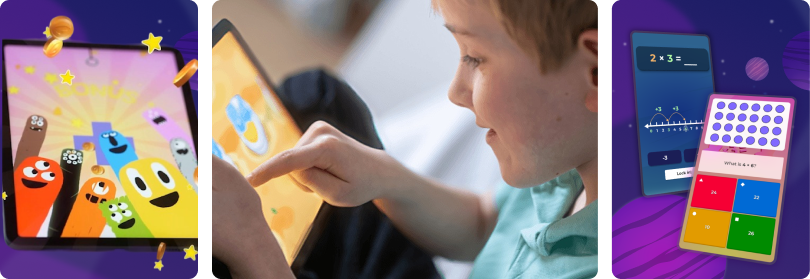
  • Maths becomes something they look forward to, with award-winning maths games by DragonBox covering everything from counting and multiplication to geometry and algebra.

Try Maths Missions

Kids math

Help your child become a confident reader

  • Your child learns letter sounds and reads their first words just by playing Kahoot! Learn to Read by Poio.
  • Younger kids gain independence, playing read-aloud quiz games on their own.
  • Older kids grow their vocabulary and comprehension with quizzes and flashcards.

Download app

Child's hand tapping the screen of a tablet showing a Kahoot! reading game with a highlighted word and star rewards

Open up a world of languages

  • Your child learns everyday words and phrases in over 55 languages, including Spanish, French and Tagalog, with Kahoot! Language Learning.
  • Just a few minutes a day can build your child’s vocabulary and confidence in using a new language through short, playful lessons.
  • You can learn alongside them and turn practice into family fun.

Try Language Learning

Smiling boy holding a tablet that shows the Spanish word 'hola' in the Kahoot! app

Grow social and emotional skills

  • Your child learns to recognise emotions and understand others through Kahoot! Kids quiz games curated by early learning experts.
  • Talking about feelings gets easier with characters they love, like SpongeBob or Teenage Mutant Ninja Turtles.
  • When playing together as a family, your children practise taking turns, cheering each other on and celebrating every win.

Explore kahoots

Mother and daughter photo (kahoot.com learn-to-read-poio.jpg)

Safe, trusted, and made for kids

Kids icon no adds

Ad-free

100% ad-free gameplay keeps kids focused on learning.

two hands icon in green

Child-safe environment

Designed for children, with strict content moderation, privacy protections and no microtransactions.

reward icon in green

Expert-designed

Created by educators to make learning fun and effective.


Learn more about our Privacy Policy.

Download the Kahoot! app for children aged up to 15.

Unleash the power of learning through play

Frequently Asked Questions

What’s Kahoot! Kids?

Kahoot! Kids is a learning playground where children aged 3–12 can enjoy carefully curated games tailored to their age and abilities.

How do I get Kahoot! Kids?

Kahooot! Kids Standalone app on iOS

  1. Go to the app store on your mobile device and search for Kahoot! Kids. Alternatively, click the link: Kahooot! Kids on iOS
  2. Download and launch the app.

Kahoot! Kids within Kahoot! App

If you have a business account, you need to create a personal account to access Kahoot! Kids.

  1. Open the Kahoot! app and login or sign up.
  2. Click on the avatar icon in the top left corner of the screen to open your profile.
  3. On the top of the screen you’ll see the existing profiles. Tap on the Child profile or one of the previously created child profiles to open Kahoot! Kids.

I have the Kahoot! app - how do I find Kahoot! Kids?

If you have a business account, you need to create a personal account to access Kahoot! Kids.

  1. Open the Kahoot! app and login or sign up.
  2. Click on the avatar icon in the top left corner of the screen to open your profile.
  3. On the top of the screen you’ll see the existing profiles. Tap on the Child profile or one of the previously created child profiles to open Kahoot! Kids.

How do I join live games and assignments?

  1. Open Kahoot! Kids and select your profile.
  2. Tap the play icon under Kahoot! Quiz games
  3. Tap the JOIN button in the top right corner.
  4. Insert the PIN or scan the QR code. Read more about joining games.

How do I access Kahoot! Kids settings?

  1. Open the Kahoot! Kids app.
  2. Tap on the Parents icon or the avatar (then settings) icon at the top of the screen.
  3. Enter your age It must show that you're an adult.
  4. To edit or delete a child profile tap and hold on its avatar in the settings section.
  5. Tap Edit profile
  6. To edit the daily screen time (available with certain plans), music, and sound effects switch to the Quiz Games tab

For what age range is Kahoot! Kids designed?

Kahoot! Kids is recommended for children aged 3–12. 

  • Kahoot! Quiz games, ages 3–8
  • Kahoot! Learn to Read with Poio, ages 3–8
  • Kahoot! Numbers by DragonBox, 4-8 yrs
  • Kahoot! Big Numbers by DragonBox, 6-9 yrs
  • Kahoot! Learn Chess by DragonBox, 5 yrs+
  • Kahoot! Algebra by DragonBox, 5yrs+
  • Kahoot! Algebra 2 by DragonBox, 8 yrs+
  • Kahoot! Geometry by DragonBox, 8 yrs+
  • Kahoot! Multiplication by DragonBox, 8 yrs+
  • Kahoot! app Play & Create Quizzes, for all ages

How do I access the learning apps from DragonBox and Poio?

After accessing the Kahoot! Kids app and selecting a profile, you’ll be able to swipe through various islands. Each island will take you to a different app where you can have fun and master different skills. 

Next to islands that will redirect you to the Kahoot! app and Kahoot! Kids quiz games you’ll find the DragonBox and Poio islands. 

  • If you have the DragonBox or Poio app downloaded on your device, you’ll see the play icon below its island. Once you tap it, you’ll be redirected to the relevant app.
  • If you don’t have the DragonBox and Poio app downloaded on your device, you’ll see the download icon below its island. Once you tap it, you’ll be asked for your age (it must indicate you’re an adult) and then taken to the app store to download it.
  • If the app is not included in your plan, you’ll see a lock icon below its island.

When accessing the DragonBox and Poio apps for the first time, you have to use the same username as in Kahoot! Kids app to log in. This will allow you to use the subscription and profiles tied to Kahoot! Kids app.

Can Kahoot! Kids be purchased on an account belonging to a young student?

A Kahoot! Kids subscription cannot be purchased on a young student’s account via the web due to legal regulations and privacy laws. This is because it requires parental permission before collecting data from children.

We understand that young student users may want unlimited access to Kahoot! Kids. To make this possible while still ensuring compliance with privacy laws, we have enabled the purchase of the Kahoot! Kids subscription through our mobile app.

If you have any more questions or need assistance, please don’t hesitate to contact our support team. We’re here to help!

What languages Kahoot! Kids support?

Kahoot! Kids including Kahoot! Quiz games support 18 languages:
English, Spanish, French, German, Portuguese, Italian, Turkish, Dutch, Japanese, Simplified and Traditional Chinese, Arabic, Korean, Ukrainian, Polish, Norwegian, Swedish, Danish, Indonesian, Thai and Vietnamese.

The math and chess apps from DragonBox are also available in multiple languages, including English, Spanish, French, Portuguese, Italian, German, Japanese, Dutch, Turkish, Polish, Norwegian and Indonesian.

The learn to read app from Poio is available in English, Spanish, French, Portuguese, Italian, German, Swedish, Norwegian and Indonesian. 

How do I create, edit, and delete Kahoot! Kids profiles?

In Kahoot! Kids app, you can create child profiles that are individual spaces where each young Kahoot!’er can save and track their progress.

The free version of Kahoot! Kids includes one child profile. The ability to create multiple profiles is included in certain plans. 

If an additional profile is not included in your current plan and you try to add it, you’ll be redirected to the relevant plan within the app.  You can upgrade directly there!

  1. After accessing Kahoot! Kids, tap on the avatar icon at the top of the screen.
  2. Tap on the plus icon – Add.
  3. Provide your age. It must indicate that you’re an adult.
  4. Provide the child’s age.
  5. Set a nickname.
  6. Select the avatar.
  7. Done!

How to edit or delete child profile

  1. Go to the settings.
  2. Tap and hold on the child profile’s avatar.
  3. Tap Edit profile.
  4. Edit name or age and tap Save.
  5. Alternatively, select the Delete User option at the bottom of the screen.

How do I play Kahoot! Kids quiz games?

Play, learn and connect together with friends and family in a safe app experience designed to support your children at their own level.

Every kahoot available in Kahoot! Kids has been carefully curated by a team of early childhood learning experts. It is designed to help children develop new skills, including literacy, numeracy, social-emotional, cognitive and language skills. In the Kahoot! Kids app, users can play self-paced quiz games with child-friendly features such as read-aloud technology, questions displayed on screen as text and images as answers.

  1. Open Kahoot! Kids and select your profile (if applicable)
  2. Swipe through the islands and select Kahoot! Quiz Games.
  3. Find the quiz you want to play and tap on it. Tap on the icon in the top right corner of its cover to see detailed information and preview the questions./li>
  4. Select the mode:
    • Rocket Race – after answering a question correctly, you’ll see a rocket fly up into space.
    • Classic Mode – there are no animations in-between questions.

What kind of quiz games should I play?

At the top of the game’s cover you can see an icon that indicates its complexity. Tap the icon to read more and check the learning subjects.

Complexity:

  • Basic Knowledge
    Use foundational skills and basic knowledge to answer straightforward questions.
  • Multi-step Thinking
    Put multiple pieces of information together to figure out the answers.
  • Complex Reasoning
    <0>Complex Reasoning
    <0><1/>

Learning subjects:

  • Literacy
    Practise letter knowledge, vocabulary, and phonological awareness.
  • Numeracy
    Work with numbers, quantities, shapes, and patterns in context.
  • Cognitive
    Apply reasoning skills and logical thinking to solve problems.
  • Social Emotional
    Recognise emotions and ways we can relate to ourselves and others.