app store badge google play badge

Get the mobile app for the best Kahoot! experience!

Kahoot! app: quiz and trivia game for iPhone and Android

Create quiz games, host trivia nights, and learn something new with the Kahoot! app.
Make your lessons, presentations or gatherings more engaging!

Kahoot!+ the best way to learn and play.

Get Kahoot!+ from $3/mo. Save 45%. Offer ends June 12.

Video

One app. Create, host, play, and learn.

Whether you're a teacher building lessons, a student turning notes into a study tool, or a friend who takes quiz night a little too seriously, the Kahoot! app lets you create, host, play, and learn on any device, anywhere. Free to download and free to get started.

Create: Build a quiz on anything

Make your own quiz, trivia game, or study set in minutes, on any topic, in different languages. Great for teachers building lessons, friends planning a game night, or students turning notes into a revision tool.

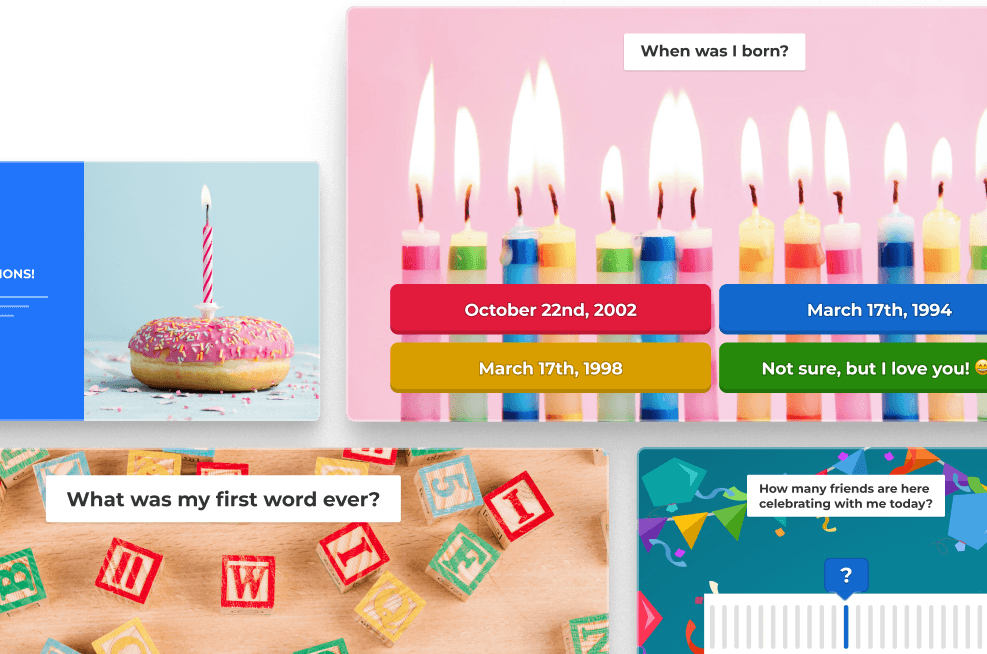
Kahoot quiz creator interface showing a fun inside joke quiz with four colorful answer options

Host: Run a live game with your group

Share a PIN and watch your players join in real time. Host in a classroom, on a big screen at a gathering, or over video call, Kahoot! works wherever your group is.

Two students presenting a Kahoot ecosystems word cloud quiz on a classroom smart board

Play: Join any game instantly

Got a PIN? You’re in. No account needed to play — just open the app or browser, enter the code, and you’re live. Players join from any device.

Kahoot game join screen with QR code, game PIN 815493, and colorful answer buttons on space background

Learn: Turn any content into a game

Upload your own material and Kahoot! turns it into flashcards or a quiz automatically. Or explore millions of ready-made kahoots across every subject,  built by teachers, creators, and top brands.
Student studying at home on laptop with Kahoot nervous system quiz, flashcards, and slide screens

K! App

Download the Kahoot! app for free and play across all your devices!

One app, unlimited fun

Download on the App Store    Get it on Google Play    Download on the Chrome Store

Download the Kids version of the Kahoot! app.

Kahoot! Kids: Learn and Play

Download on the App Store    Get it on Google Play    Download on the Chrome Store

Frequently Asked Questions

What is the Kahoot! app?

The Kahoot! app is a free quiz and trivia game app for iOS, Android, and macOS. It lets you create your own quiz games, host live sessions with friends, family, or colleagues, and browse millions of ready-to-play games on any topic. It’s used for game nights, classroom lessons, and solo study, by more than a billion players a year worldwide.

Is Kahoot! free?

Yes, Kahoot! is free to download and use. You can create quiz games, host live sessions, and access millions of ready-made kahoots at no cost. Kahoot!+ is our paid plan, it gives you larger player limits, premium ready-to-play games, more availability for AI quiz creation, and more question types.

How do I download the Kahoot! app?

Search for “Kahoot!” in the App Store (iPhone and iPad), Google Play (Android). You can create a free account or log in to an existing one once it’s installed.

Does Kahoot! work on iPhone and Android?

Yes. Kahoot! is available for both iPhone and Android. Players joining a session don’t need to download the app, they can join via browser using the game PIN. Only the host needs an account to run a game.

How can I use kahoot as a trivia app?

Looking for a trivia app for your next game night? Kahoot! is one of the most popular trivia apps for groups, whether you’re playing with friends over video call, settling debates at the dinner table, or hosting a proper pub-style trivia night. Browse thousands of ready-to-play trivia games on history, pop culture, geography, sports, and more. Or build your own in minutes and challenge the people who think they know everything. Kahoot! makes trivia genuinely social, live, competitive, and free to get started.

How can I use kahoot as a quiz game app?

Kahoot! is a quiz game app used by more than a billion players a year across more than 200 countries. Whether you want to run a quick icebreaker, test your friends, or host a full-length quiz night with a leaderboard, Kahoot! handle it all from your phone. It works in person, online, and anywhere in between, no special setup, no extra equipment. Just open the app, pick a game, and go.

How can I use kahoot as a quiz maker app?

Kahoot! is one of the best free quiz maker apps available today. Create your own quiz in minutes using the app or on desktop, add questions, set a timer, choose from multiple question types, and share it with whoever you want to challenge. If you’d rather skip the setup, AI can generate a full quiz for you from any topic. With Kahoot!+, you can host up to 100 players, remove limits on question count, and access thousands of premium ready-to-play games from brands like Disney, Star Wars, and BBC.

Bring fun to more special occasions with Kahoot!+