
Millions of educators and students use both Canva and Kahoot! to create engaging presentations, with Canva offering design tools to create stunning visuals and Kahoot! adding interactivity that can energize any learning session. However, having to switch between platforms could make the process time-consuming. Now, educators, students, and other presenters can save time and create active learning experiences more seamlessly with Kahoot!’s new Canva integration. With this feature, it’s easy to combine Canva’s powerful presentation design tools with the interactive and engaging experience of Kahoot!
Commenting on the new integration Jason Wilmot Global Head of Public Sector, Canva said, “We are absolutely thrilled to partner with Kahoot! Together, we’re empowering educators to create and deliver the most dynamic, engaging and impactful, interactive lessons and presentations.
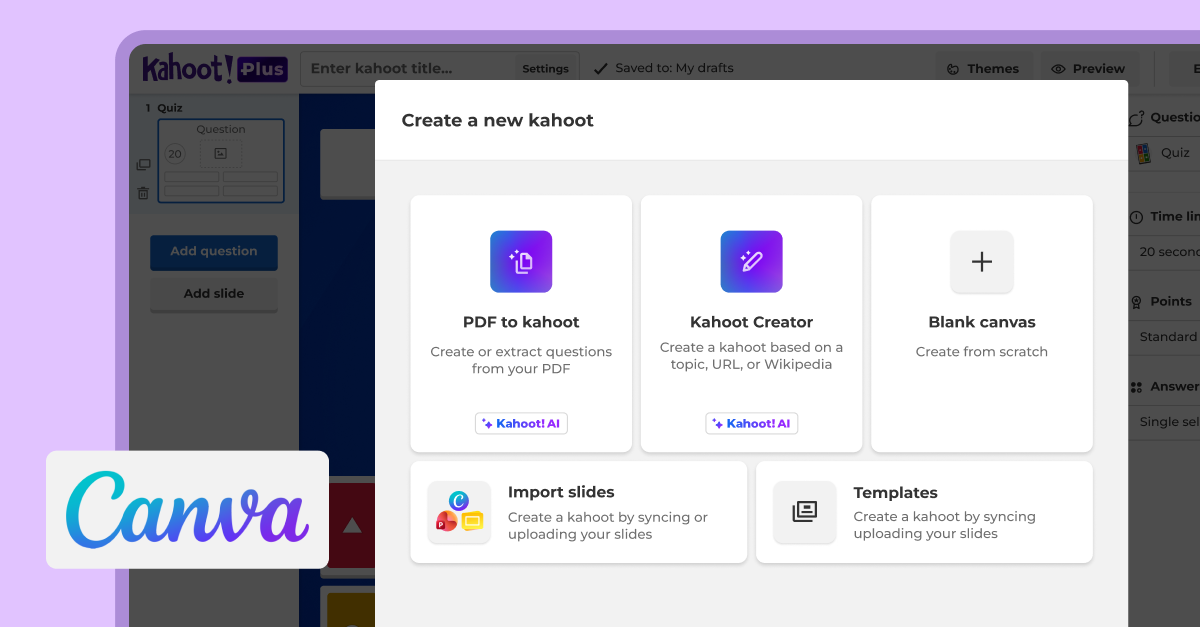
Import and sync your existing Canva presentation slides
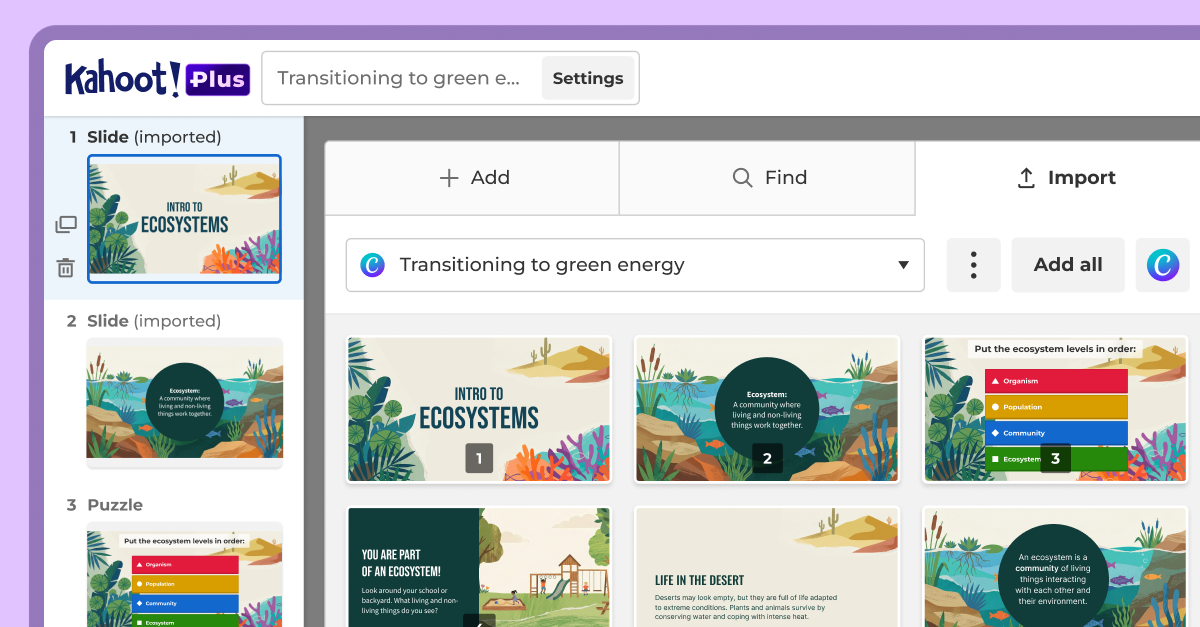
Canva has become one of the most popular presentation creation tools, whether for designing eye-catching lessons or lectures, study materials, or student project presentations. With this integration, you can instantly add the slides you create in Canva to your kahoot. Sync your slides to keep your kahoot up-to-date with any changes to your Canva presentation. No manual updates, exporting, or rebuilding required.
Get started by following these simple steps:
- Log in to your Kahoot! account and click Create to start creating your new kahoot.
- Click Import slides to upload or sync your slides
- Upload your Canva presentation file, or click the Sync with Canva button
- Access your Canva account from within the Kahoot! creator and select the Canva presentation you want to import
- Select the specific slides you want to sync and add to your kahoot
This feature is free to try for all Kahoot! users, including those with a Kahoot! Go free account.
Add interactivity to any lesson or class presentation instantly with the Kahoot! Assistant
With the Kahoot! Assistant, you can use AI to generate kahoot questions directly from your Canva presentation in seconds. This saves valuable creation time while amping up the energy and engagement in your presentation. These interactive kahoot questions can also be used for quick and easy pulse checks, formative assessment, and real-time feedback on participants’ understanding of the material throughout the presentation.
Get unlimited Kahoot! Assistant access and analytics showing learner engagement and knowledge retention with Kahoot!+ for teachers or students, or Kahoot! EDU for schools and districts.
Create smart study materials and project presentations that pop
Students can also study smarter and design engaging class presentations by creating content with Canva and Kahoot! With the Kahoot! Assistant, students can import and sync their Canva slides to instantly generate interactive study experiences, including flashcards, quizzes, and more.
Discover a seamless workflow – from design to delivery
Educators have already been able to import slides from PowerPoint, Google Slides, Keynote, or PDF files into their kahoots and keep their slides synced. Now, educators and students who love getting creative with their presentations in Canva can bring them to life on Kahoot! seamlessly.
It’s never been simpler to create interactive lessons and study materials, turning passive, static slides into active learning experiences that spark participation, deepen engagement, and reinforce learning. Try our new Canva integration today and take your presentations to the next level with these two favorite tools working together!