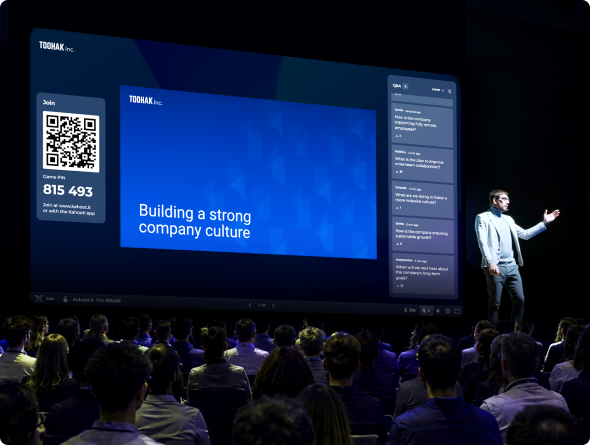
AI Tools by Kahoot!
Create engaging content in seconds for awesome learning moments



Create engaging content in seconds for awesome learning moments
Instantly transform slide decks, websites, documents, PDFs, and handwritten notes into engaging lessons, presentations, flashcards, quizzes, and more with the Kahoot! Assistant, powered by AI. Starting from scratch? Let us do the heavy lifting for you. Perfect for educators, professionals, and students who want to save time preparing learning content that sticks without losing quality.
Save on time,
not on quality
Seen or heard the power of Kahoot!, but haven’t had the time to create your own? With the Kahoot! Assistant, it’s never been easier!
Transform your
content
Whatever your starting point, the Kahoot! Assistant transforms your learning materials into a variety of engaging formats.
Discover new ways
to engage
Let the Kahoot! Assistant be your creative partner — sparking new ideas and question types that take your content further.

Unleash your
genius
Turning learning resources into a Kahoot! experience isn’t just engaging, it’s proven to boost learning and retention.
Kahoot GENERATOR
Create impactful presentations, interactive lessons, and fun quizzes in a few seconds. The AI-powered Kahoot! Assistant boosts productivity by creating instant kahoots from topics, websites, Wikipedia articles, and more— that’s what we call efficiency!

AI question generator
Already have a Kahoot! you love? Save time by generating new questions from your existing slides or PDFs, or use it as a question bank to inspire fresh ideas from scratch. From interactive presentations to late night study sessions, the Kahoot! Assistant makes sure you never run out of great questions.
AI notes scanner
Maximize your study time by scanning your handwritten notes and transforming them into kahoots and flashcards to test your knowledge. In a few seconds, you can bring your existing notes onto the Kahoot! app and get practicing. Our AI notes scanner will be the new best friend for students and lifelong learners.
PDF to story generator
Transform any PDF into a swipeable story format your audience can move through at their own pace. From self-paced learning resources to employee training, our story generator turns complex content into something your audience will actually remember.
AI image GENERATOR
Struggling to find the perfect visuals for your questions? Simply describe what you want and the Kahoot! Assistant will generate the perfect visual in seconds — making every question more engaging and memorable, no design skills required!
AI Assistant
Struggling to build or fine-tune your kahoots? Simply chat with the Kahoot! Assistant to instantly create slides, refine questions, and translate content in seconds — making your creation process faster and easier, no heavy lifting required!
AI formats
The Kahoot! Assistant instantly transforms your content into exactly what you need by simply choosing your format. Whether that’s an interactive lesson, a polished presentation, a practice test, or a survey — just pick your format and let us do the rest, ready to share in seconds.
CHATGPT App
The Kahoot! Assistant instantly transforms your content into exactly what you need by simply choosing your format. Whether that’s an interactive lesson, a polished presentation, a practice test, or a survey — just pick your format and let us do the rest, ready to share in seconds.
Create quizzes, scan existing notes, create personalized experiences, or bring visuals to life. Kahoot!’s AI tools are designed to meet the diverse needs of students, educators, and professionals alike — all in one place.
Create lesson resources on any topic in seconds.
Use AI-generated formats to create in-class experiences.
Transform any material into kahoots.

AI is transforming the world’s approach to education. We’re helping educators and learners make the most of this technology with our AI tools for teachers and AI tools for students. From generating flashcards from handwritten notes to creating instant lesson resources on any topic, we’re putting the power of AI at your fingertips.
We recommend our notes scanner that lets you transform handwritten notes into helpful flashcards so you can make the most of your study time. Students should also try our AI-assisted generator, which can create instant kahoots based on website content or Wikipedia pages.
We recommend our AI-assisted kahoot generator, which allows you to create kahoots on any topic in seconds. We also recommend our story generator, which lets you transform PDFs into engaging educational presentations.
Our PDF-to-story generator is perfect for creating engaging self-paced learning resources and bite-sized training. Meanwhile, our kahoot generator is excellent for making engaging quiz-based presentations.
Our AI tools are currently available on the following plans.
For family and friends, kids and parents, students, teachers, and high ed educators:
For professionals and teams
Upgrade your professional, K12 teacher, higher ed educator, student, or personal plan and try them today!
When creating a new kahoot, you’ll see the option to start from scratch or to use the AI-assisted Kahoot Generator. The generator lets you create kahoots based on a PDF or a specific topic. If you choose to generate a kahoot on a topic, you’ll have the option to type in a topic, enter a website URL, or select a specific Wikipedia article. Learn more about How to use Kahoot! AI tools.
Yes! Our AI tools are simple and easy for everyone to use. There’s no need to be a technology whiz to make the most out of them.
AI has numerous benefits, but two of the most significant for students, educators, and working professionals are time saving and idea generation. Whether you’re creating training resources, interactive lessons, presentations, or study notes, AI can help you create engaging content in a few seconds.
Kahoot! doesn’t use any user data to train AI models.
Kahoot! only shares the prompt with Microsoft and other partners. No personal data is shared, and the partners don’t have access to your kahoots, pictures, or any other content. You can read more about how Kahoot! uses AI in this article about our AI-powered features.
Update your language, region and currency.