



app store badge google play badge

Get the mobile app for the best Kahoot! experience!

BETT 2026

Improve learning outcomes with Kahoot!+

Kahoot!+ is the all-in-one teaching toolkit loved and trusted by millions of teachers and students worldwide. It’s perfect for creating engaging lessons, homework and assignments, reviews, and formative assessments.

Get Kahoot!+ from $3/mo.

Get Kahoot!+ for K12 today Get Kahoot!+ for Higher Ed today

Get started for free

Video

Kahoot! is the world’s leading learning and engagement platform

Join over 9 million educators around the world use Kahoot! to make learning more relevant and engaging for their students.

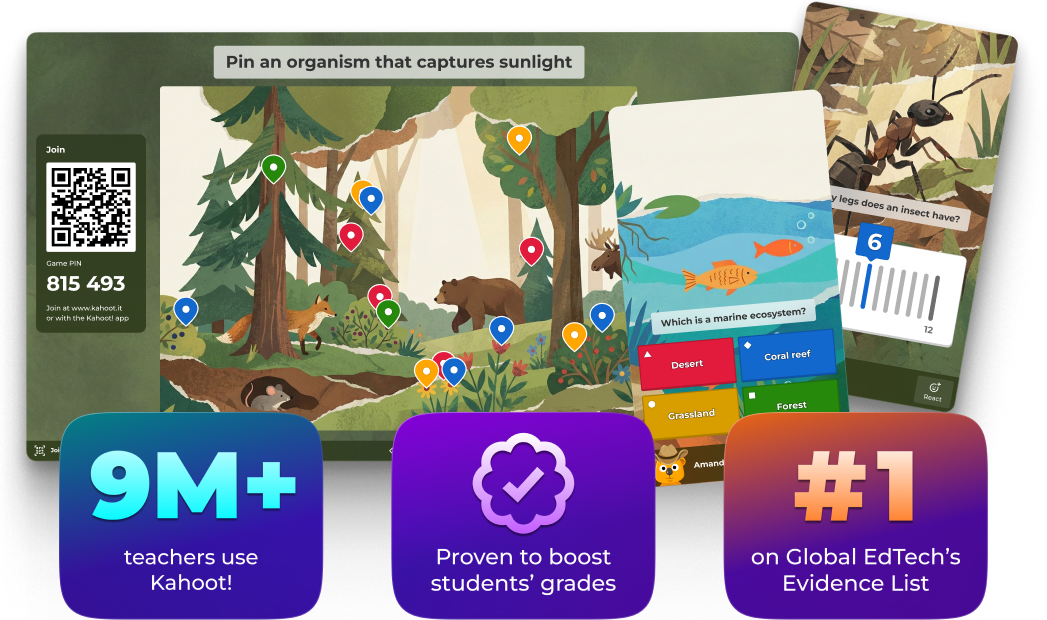
9M+

teachers use Kahoot!

Pink tick icon

proven to boost students' grades

#1

on Global EdTech's Evidence List

Proudly backed by research and renowned certifications

Logo Level 3 ESSA
Data Privacy Certified Badge
Common Sense logo
Logo Efficacy
ISTE Seal Logo

What’s new in Kahoot!

Discover the latest features of our all-in-one teaching, learning, review, and assessment solution.

Celebrate class achievement and earn rewards with Kahootopia!

Create a class island, play kahoots live or as assignments to start learning together, and celebrate the success of the entire class with shared podiums, leagues, and rewards.

Learn more

A television and a laptop screen side-by-side both display the interactive environment

Save time with AI tools

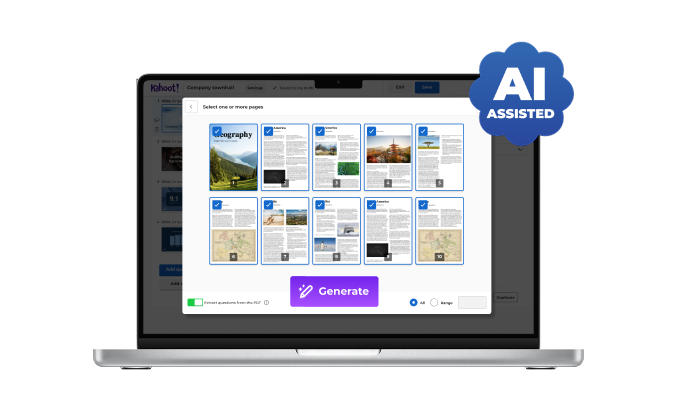
Create impactful presentations, interactive lessons, and fun quizzes in a few seconds from topics, PDFs, websites, Wikipedia articles, and more with the AI kahoot generator. Generate kahoots, practice tests, or micro-lessons instantly with Kahoot AI Experiences.

Learn more

A digital illustration shows a tablet and a laptop, both featuring the Kahoot! creator interface. The tablet on the left displays a

Unlock deeper, student-driven learning with Math Games

Empower students to strengthen their math skills in topics like multiplication, fractions, and coding, live in class or asynchronous at their own pace, with curriculum-aligned, gamified supplemental resources.

Learn more

A laptop and tablet side-by-side displaying Kahoot! Math Games. The laptop shows a menu for various games like

Make every student’s voice count with Live Q&A and upvoting 

Enable students to submit questions from their devices. Show and answer questions as they come in to spark discussions, and encourage the class to upvote the questions they find most relevant or important.

Learn more

Kahoot! Q&A and upvoting

Encourage precision over speed with Accuracy Mode

Encourage your students to slow down, think critically, and answer with confidence. With Accuracy mode students are rewarded on correct answers over quick clicks.

Learn more

A television and tablet screen both display a Kahoot! game result page titled

Empower students to practice making high-stakes decisions in confidence mode

Confidence mode lets students indicate how confident they are with each answer, gaining extra points for being confidently correct, or losing them if they’re wrong.
Learn more

A digital screen showing a Kahoot! interactive lesson titled

Contact us to learn more about our solutions for schools, districts, and higher education institutions

Contact us

Make Learning Awesome with Kahoot!

Kahoot! is more than just a quiz tool—it’s an evidence-based learning platform that helps educators actively engage students, reinforce key concepts, and design interactive experiences that drive real outcomes.


Efficient Preparation

Instantly create impactful presentations with the AI-assisted Kahoot! generator. Turn topics, PDFs, websites, and more into polished slides, interactive lessons, and fun quizzes in seconds.

Screen displaying AI


Impactful Instruction

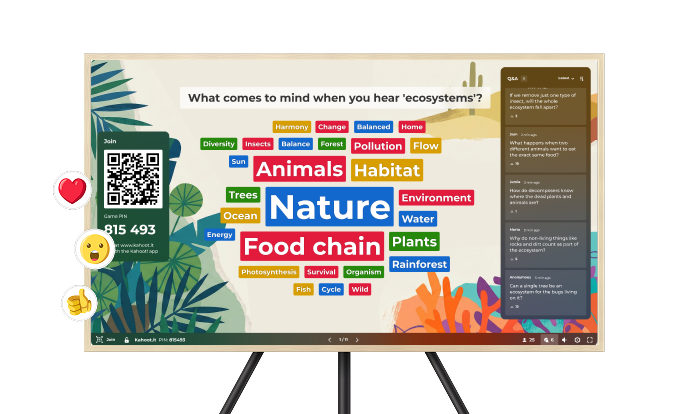
Make learning stick using interactive presentations! Get real-time feedback  while introducing concepts and turn on reactions to let your students share their feelings.

A television screen displays a Kahoot! word cloud based on the question, "What comes to mind when you hear 'ecosystems'?". Key terms like "Nature," "Animals," "Food chain," and "Habitat" are prominently displayed in large, colorful boxes, surrounded by smaller related words such as "Trees," "Plants," and "Energy". The screen also features a QR code and Game PIN for participants to join, alongside a live Q&A panel on the right with student questions. Floating emoji icons like a heart and a thumbs-up appear on the left side of the screen.


Playful Practice

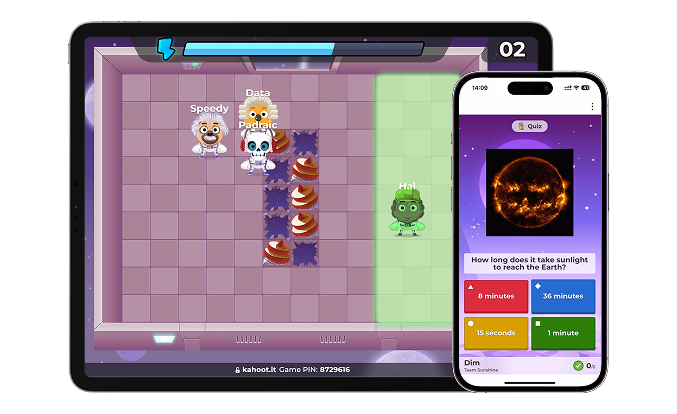
Nurture student-centred learning with solo game modes! Encourage interactive self-study or build their communication skills with collaborative game modes.

A digital illustration shows a tablet and a smartphone side-by-side, both displaying a Kahoot! interactive game session. The tablet features a top-down view of a tile-based game board with several colorful character icons, including "Speedy," "Padraic," and "Hal," moving through a space-themed environment. The smartphone displays a multiple-choice quiz question: "How long does it take sunlight to reach the Earth?" with four possible answer options provided in colorful boxes.


Memorable Review

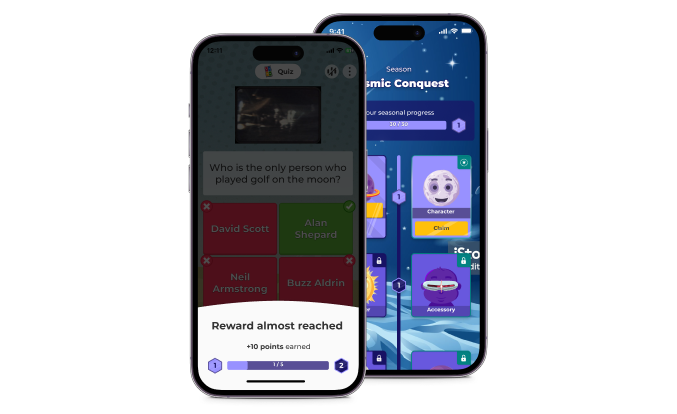
Revisit content in new ways to ensure learning sticks with different game modes! Your class can replay kahoots while earning individual student rewards, including new characters and themes.

Two phones displaying Kahoot.


Effective Assessment

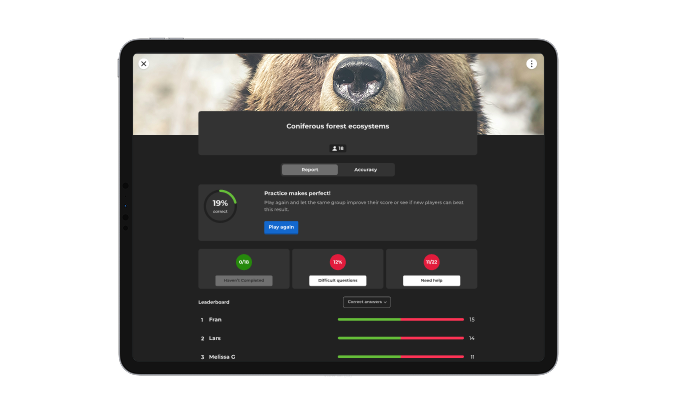
Measure learning progress in and out of the classroom with reporting tools. Run pulse checks and exit tickets with the entire class or encourage self assessment with interactive flashcards.

A digital screen displays a Kahoot! report for a session on "Coniferous forest ecosystems," which had 18 participants. The report indicates a "19% correct" accuracy rate with a prominent "Play again" button. Below the main summary, individual sections highlight that 0 out of 10 participants haven't completed the session, 12% of the questions were difficult, and 11 out of 22 participants need help. A leaderboard at the bottom shows the top three participants: Fran, Lars, and Melissa G, with their respective correct and incorrect answer bars.


Group Achievement

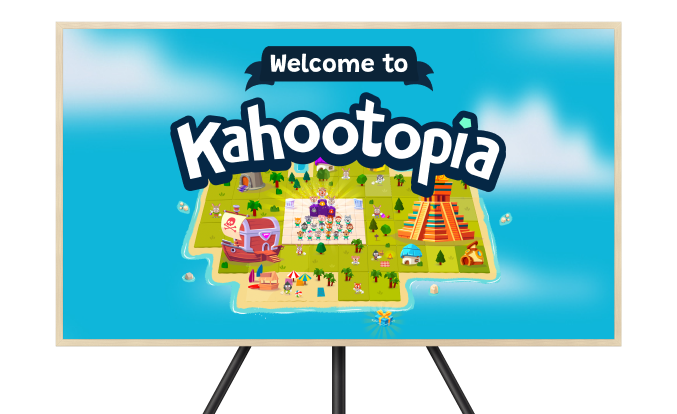
Celebrate class achievement with Kahootopia!, the ultimate tool for engaging classes and inclusive learning! Students can track their progress and earn rewards for their class island as they complete kahoots.

A television and a laptop screen side-by-side both display the interactive environment "Kahootopia". The TV screen shows the "Welcome to Kahootopia" landing page, which features an overhead map of a vibrant island with various themed areas, characters, and structures. The laptop screen overlays an "Achievements" window on top of the map, listing progress for subjects like Science, Mathematics, Social Studies, and Foreign Languages.