app store badge google play badge

Scarica l'app mobile per la migliore esperienza con Kahoot! esperienza!

Raccogli idee con strumenti di brainstorming online in Kahoot! 360

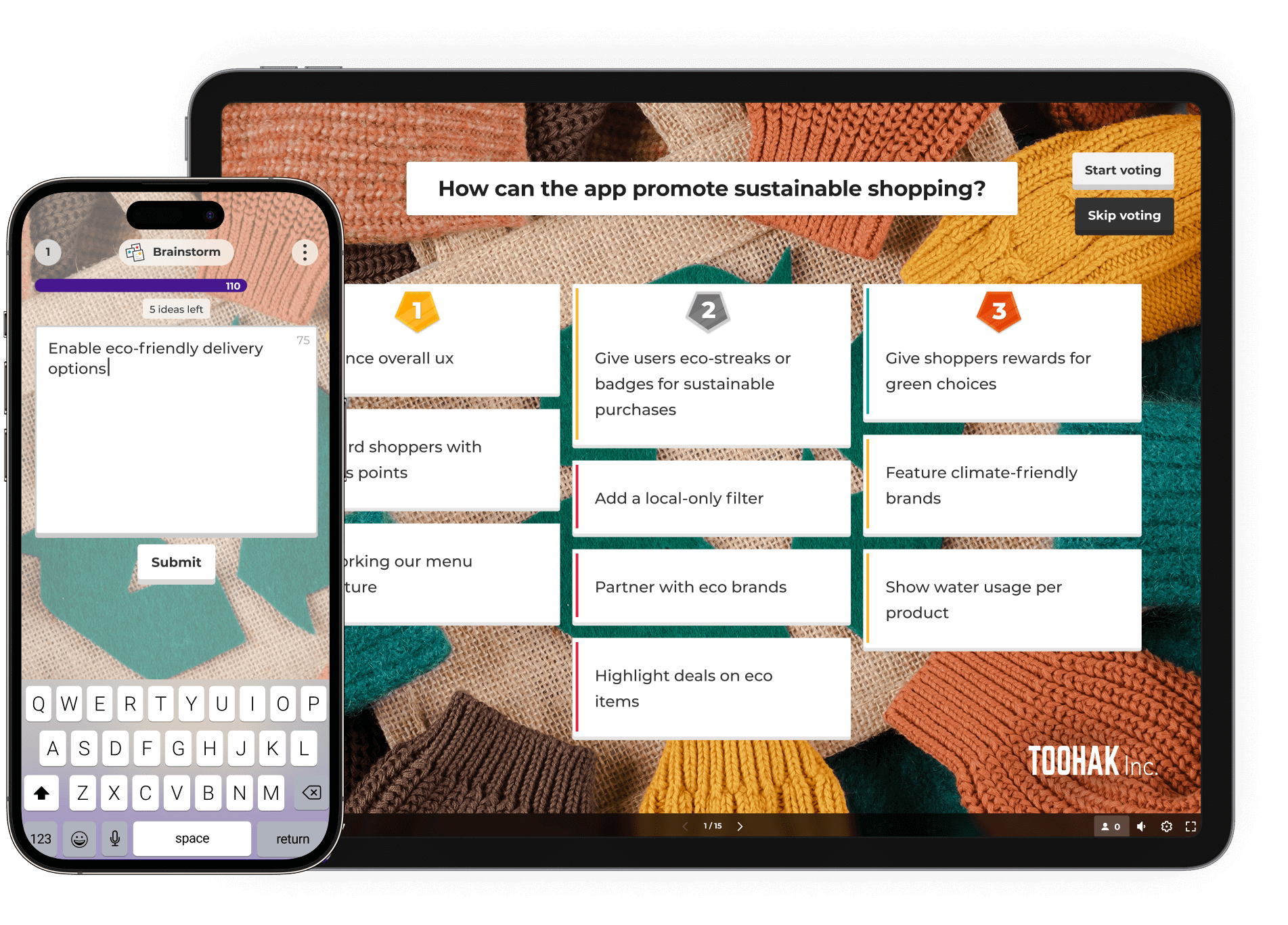
Genera idee e stimola l'azione con strumenti di brainstorming dinamici in Kahoot! 360. Coinvolgi i partecipanti, raccogli spunti diversi e dai priorità in modo collaborativo ai migliori suggerimenti per risultati innovativi e inclusivi.

Ottieni Kahoot! 360 Pro da 19 €/mese. Risparmia 240 €. L'offerta termina il 15 maggio.
Inizia Prenota una demo

Kahoot! è la scelta di aziende leader in tutto il mondo

Come condurre sessioni di brainstorming online di impatto

Brainstorm-presentation

Create an interactive presentation

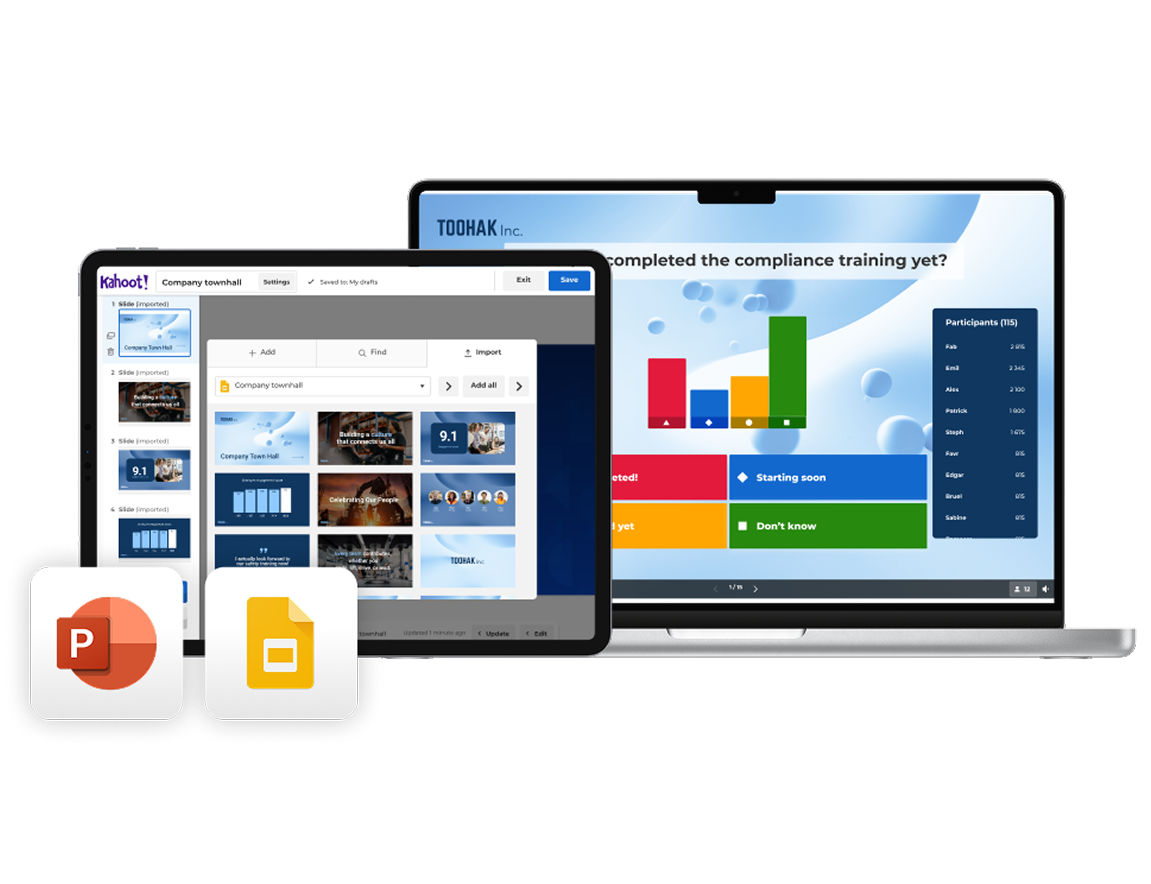
Import your existing slides from PowerPoint or Google Slides and turn them into an interactive brainstorming experience with Kahoot! 360. Use AI to instantly generate questions, polls, and word clouds that prompt idea-sharing and creative thinking.

Brainstrom-ideas

Run your brainstorming session

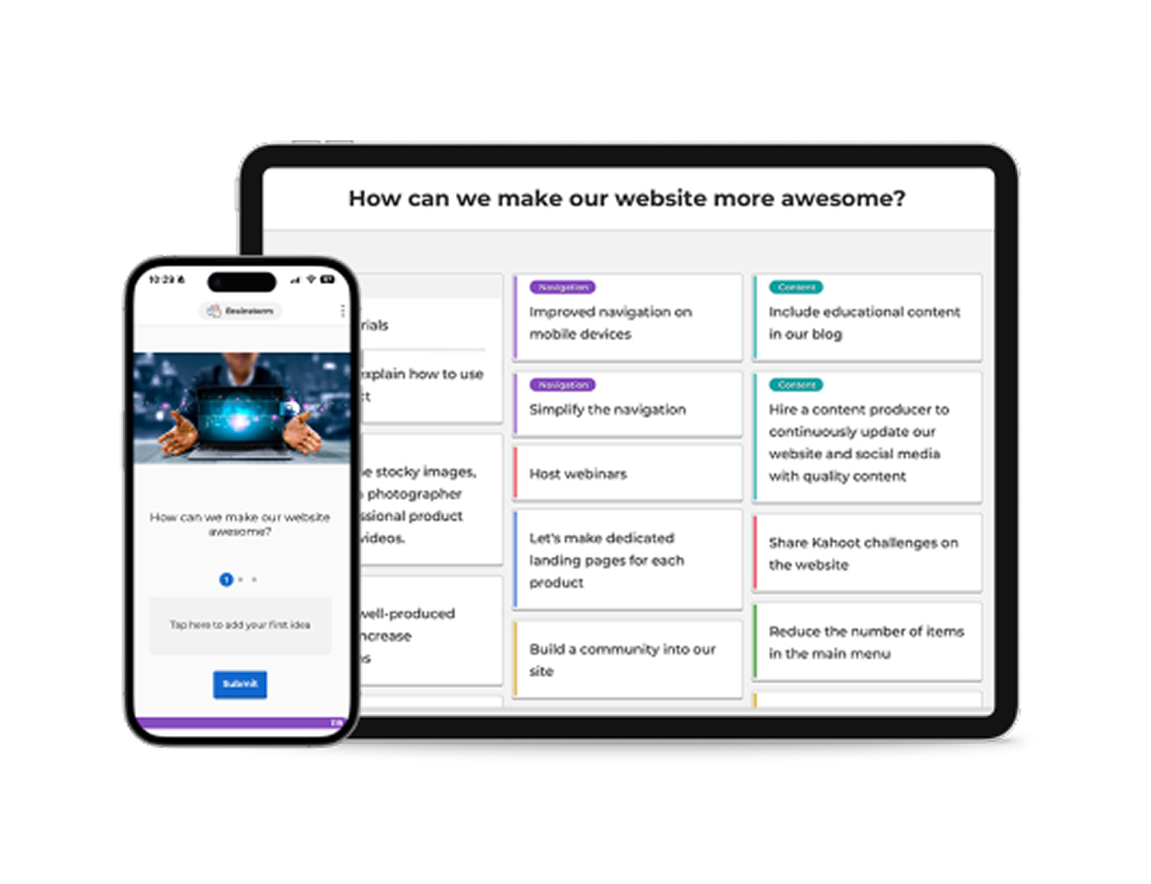
As you present, invite participants to contribute ideas, opinions, and suggestions directly from their own devices. Use interactive tools like word clouds, polls, and open-ended questions to surface diverse perspectives and spark discussion in real time.

Brainstorm-Insights

Turn insights into action

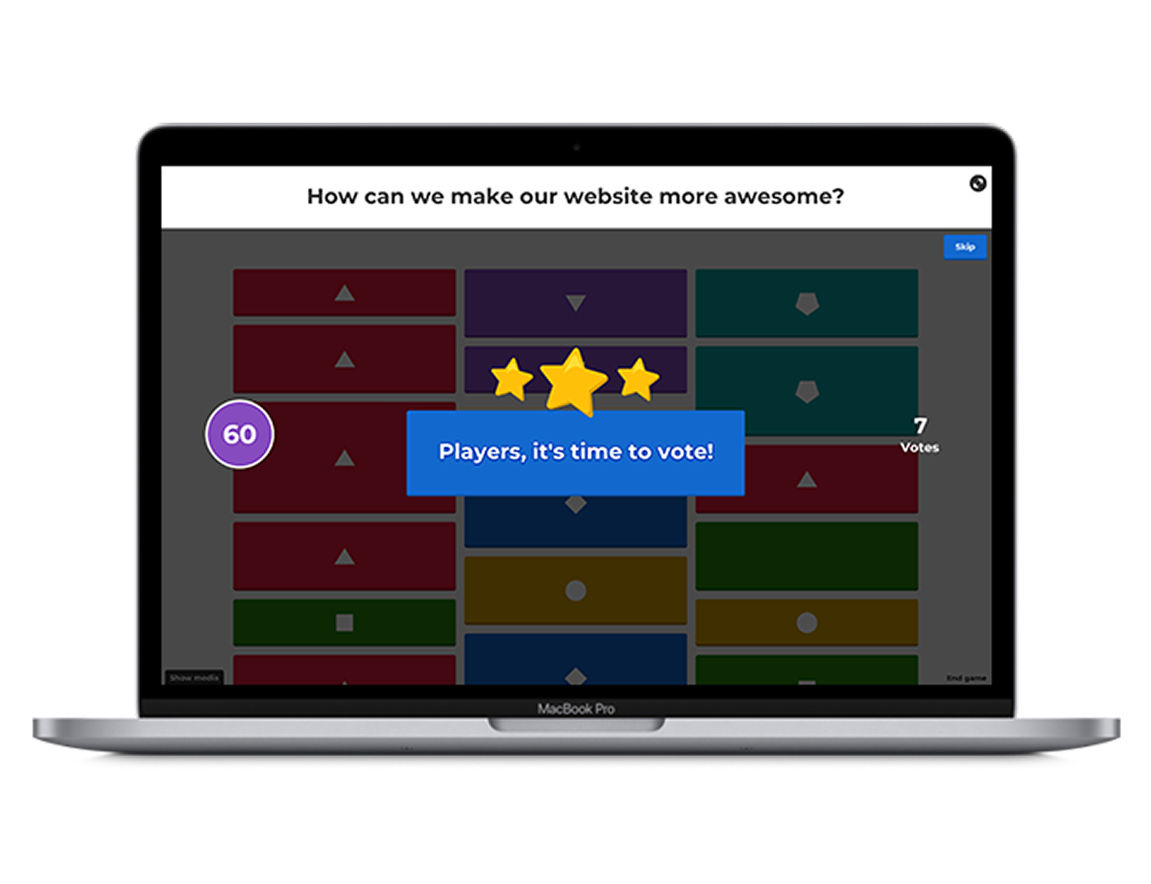
As ideas come in, use live results to guide the conversation and identify patterns, priorities, and opportunities. Enable Q&A so your audience can ask questions at any point without interrupting your flow, keeping discussions focused and productive.

Get started with Kahoot! 360 today

Join millions of professionals boosting employee performance, productivity, and retention with Kahoot! 360, the ultimate workforce engagement platform. Turn any presentation, training, or event into an engaging experience that drives results across your organization.

Get started Book an intro

Risparmia tempo nel brainstorming con modelli pronti all'uso

Dalla scelta dei nomi dei prodotti alla definizione delle priorità per lo sviluppo delle funzionalità, risparmia tempo creando sessioni di brainstorming con modelli pronti all'uso in Kahoot! 360.

String lights zig zagging above a marquee
Kahoot! template

    Decide what to do at your company’s summer party by gathering ideas from the team with this handy template.


    Try template

    Hand holding a glass
    Kahoot! template

      Prepare for your company’s Christmas party with this brainstorming template—perfect for agreeing on themes, dates, and more.


      Sign Up For Free

      People sticking post-it notes to the walls of a glass wall meeting room
      Kahoot! course

        Visit our brainstorming course to discover ready-to-use templates on everything from product workshops to retrospectives.


        Explore course

        Scopri quali risultati hanno ottenuto i nostri clienti con Kahoot! 360

        logo kempinski

        "Usa Kahoot! con passione e trasmetti l'entusiasmo ai tuoi dipendenti: Kahoot! non è soltanto sinonimo di divertimento, ma molto di più."

        Harrison Tompodung
        The Apurva Kempinski Bali

        Leggi tutta la storia

        “Kahoot! ha quel lato divertente e giocoso, ma ha anche un valore autentico. È davvero difficile per una piattaforma bilanciare la capacità di fare entrambe le cose, ma Kahoot! è fantastico in questo e noi ne approfittiamo.”

        Toni Morgans
        AND Digital

        Leggi tutta la storia

        4 vantaggi dell'utilizzo di strumenti di brainstorming coinvolgenti

        Light icon

        1. Genera idee più innovative

        Con domande interattive, nuvole di parole e sondaggi live, Kahoot! incoraggia la rapida generazione di idee e fa emergere prospettive diverse in tempo reale.

        Person icon

        2. Aumenta la partecipazione e l'inclusione

        Gli strumenti di brainstorming online di Kahoot! offrono a tutti un'opportunità equa di contribuire, sia che partecipino di persona, da remoto o in modo asincrono.

        Icon for settings

        3. Allinea il team più velocemente

        Usa sondaggi live e votazioni per dare priorità insieme alle idee e identificare rapidamente ciò che è più importante per il gruppo.

        A simple yellow line icon showing a bar chart with an upward-pointing arrow and a coin with a dollar sign, representing financial growth and success.

        4. Migliora i risultati nel tempo

        Sessioni di brainstorming coinvolgenti portano a un miglior follow-through, dando vita alle migliori idee.

        Organizza sessioni di brainstorming coinvolgenti con Kahoot! 360

        Kahoot! 360 Pro logo in blue

        $19 al mese
        $228 con fatturazione annuale
         
        Ideale per
        Riunioni in team con la giusta carica
        • people icon
          Fino a 50 partecipanti per sessione
        • message icon
          Favorisci il coinvolgimento con quiz e sondaggi interattivi
        • Branded icon
          Sfondi e temi professionali
        • AI icon
          NOVITÀ! Crea kahoot per riunioni in team con l'IA

        Kahoot! 360 Pro logo in blue

        29 $25 al mese
        $348 $300 con fatturazione annuale
         
        Ideale per
        Presentazioni e workshop di grande effetto
        • people icon
          Fino a 200 partecipanti per sessione
        • message icon
          Nubi di parole, sondaggi, brainstorming e altro per favorire il confronto
        • presentation icon
          Importazione e sincronizzazione di slide da altri strumenti come Google e Microsoft
        • presentation icon
          Modalità Presentazione, sfondi e temi professionali
        • message buble icon
          Sessione Q&A per consentire al pubblico di fare domande
        • AI icon
          NOVITÀ! Crea presentazioni in pochi secondi con l'IA
        Più richiesto

        49 $39 al mese
        $588 $468 con fatturazione annuale
         
        Ideale per
        Presentazioni, corsi di formazione ed eventi di grande impatto
        • people icon
          Fino a 1000 partecipanti per sessione
        • message icon
          Nubi di parole, sondaggi, brainstorming e altro per favorire il confronto
        • presentation icon
          Importazione e sincronizzazione di slide da altri strumenti come Google e Microsoft
        • presentation icon
          Modalità Presentazione, sfondi e temi professionali
        • message buble icon
          Sessione Q&A per consentire al pubblico di fare domande
        • Report icon
          Scala NPS e questionari per misurare la soddisfazione e il coinvolgimento
        • Course icon
          Apprendimento flessibile grazie a corsi live e a ritmo individuale, con attestati finali
        • AI icon
          Creazione in pochi istanti di presentazioni e materiali per la formazione con l'IA
        Offerta speciale - Risparmia il 25%!

        Kahoot! 360 Pro logo in blue

        79 $59 al mese
        $948 $708 con fatturazione annuale
         
        Ideale per
        Presentazioni, corsi di formazione ed eventi su ampia scala e per qualsiasi tipo di pubblico, personalizzabili con il tuo brand aziendale
        • people icon
          Fino a 2000 partecipanti per sessione
        • message icon
          Nubi di parole, sondaggi, brainstorming e altro per favorire il confronto
        • presentation icon
          Importazione e sincronizzazione di slide da altri strumenti come Google e Microsoft
        • Presentation icon
          Modalità Presentazione, sfondi e temi professionali
        • message buble icon
          Sessione Q&A per consentire al pubblico di fare domande
        • Report icon
          Scala NPS e questionari per misurare la soddisfazione e il coinvolgimento
        • Course icon
          Apprendimento flessibile grazie a corsi live e a ritmo individuale, con attestati finali
        • Branded icon
          Logo e brand della tua azienda
        • loud icon
          Uso di Kahoot! per scopi commerciali e pubblicitari
        • AI icon
          Creazione in pochi istanti di presentazioni e materiali per la formazione con l'IA
        L'IVA non è inclusa nei prezzi

        FAQ

        What are Kahoot! 360’s brainstorming tools?

        Kahoot! 360 includes interactive brainstorming tools that allow participants to submit ideas from any device. You can collect, prioritize, and vote on contributions together, making it ideal for team and online brainstorming sessions.

        Can I use Kahoot! 360 for remote or hybrid brainstorming?

        Yes! Whether you’re brainstorming online, in person, or in a hybrid setup, Kahoot! 360 supports real-time participation from anywhere. It’s a flexible team brainstorming tool built for inclusion and collaboration.

        How does Kahoot! 360 turn brainstorming into action?

        After collecting ideas in a brainstorming session, participants can vote on the best ones. This helps teams align quickly and turn insights into clear action points, reducing follow-up time and boosting outcomes.

        Do I need to create a brainstorming session from scratch?

        Nope! Kahoot! 360 offers ready-to-use brainstorming templates to save time. Whether you’re planning a product launch or running a team-building session, you can get started in minutes.

        Can I import my own slides into a brainstorming session?

        Yes. With Kahoot! 360, you can import your existing presentations and use AI to instantly generate brainstorm prompts. This makes it easy to run structured sessions without starting from zero.

        Is Kahoot! 360 suitable for team and company-wide brainstorming?

        Absolutely. Kahoot! 360 supports large groups and encourages input from everyone. It’s a great collaborative brainstorming tool for teams, departments, or whole companies looking to engage people and surface the best ideas.

        How can I choose the right brainstorming tool for my team?

        When choosing a brainstorming tool, consider your team’s size, working style, and whether you collaborate remotely or in person. Look for tools that support real-time collaboration, idea voting, and visual thinking—features that make sessions engaging and productive. Kahoot! 360 combines all of these in one platform, helping teams collect ideas, align, and take action efficiently.

        What is the best brainstorming tool for remote teams?

        For remote or hybrid teams, the best brainstorming tools make participation effortless and inclusive. Kahoot! 360’s online brainstorming features let every team member contribute ideas and vote in real time, no matter where they are. It’s designed to recreate the energy of in-person brainstorming, even when you’re miles apart.

        How can I use brainstorming tools to improve creativity?

        Digital brainstorming tools can boost creativity by breaking down barriers and encouraging everyone to share freely. Features like AI-generated prompts, mind mapping, and visual collaboration help spark new ideas and connections. With Kahoot! 360, teams can use interactive question types to think differently and uncover more innovative solutions together.

        What features should I look for in a brainstorming app?

        When evaluating brainstorming apps, look for real-time collaboration, voting and prioritization tools, integration with existing slides, and templates for common brainstorming sessions. Kahoot! 360 includes all of these, helping you move from ideas to action quickly and keep every session engaging and productive.